AI Avatar Series: Build a Video Format You Can Repeat
An AI avatar series is a recurring video format built around a recognizable generated presenter. The character, subject and style give the series continuity; each episode brings a new question, example or story. Making one convincing clip is a start. The useful question is what you will keep, and what you will change, when you make episode two.
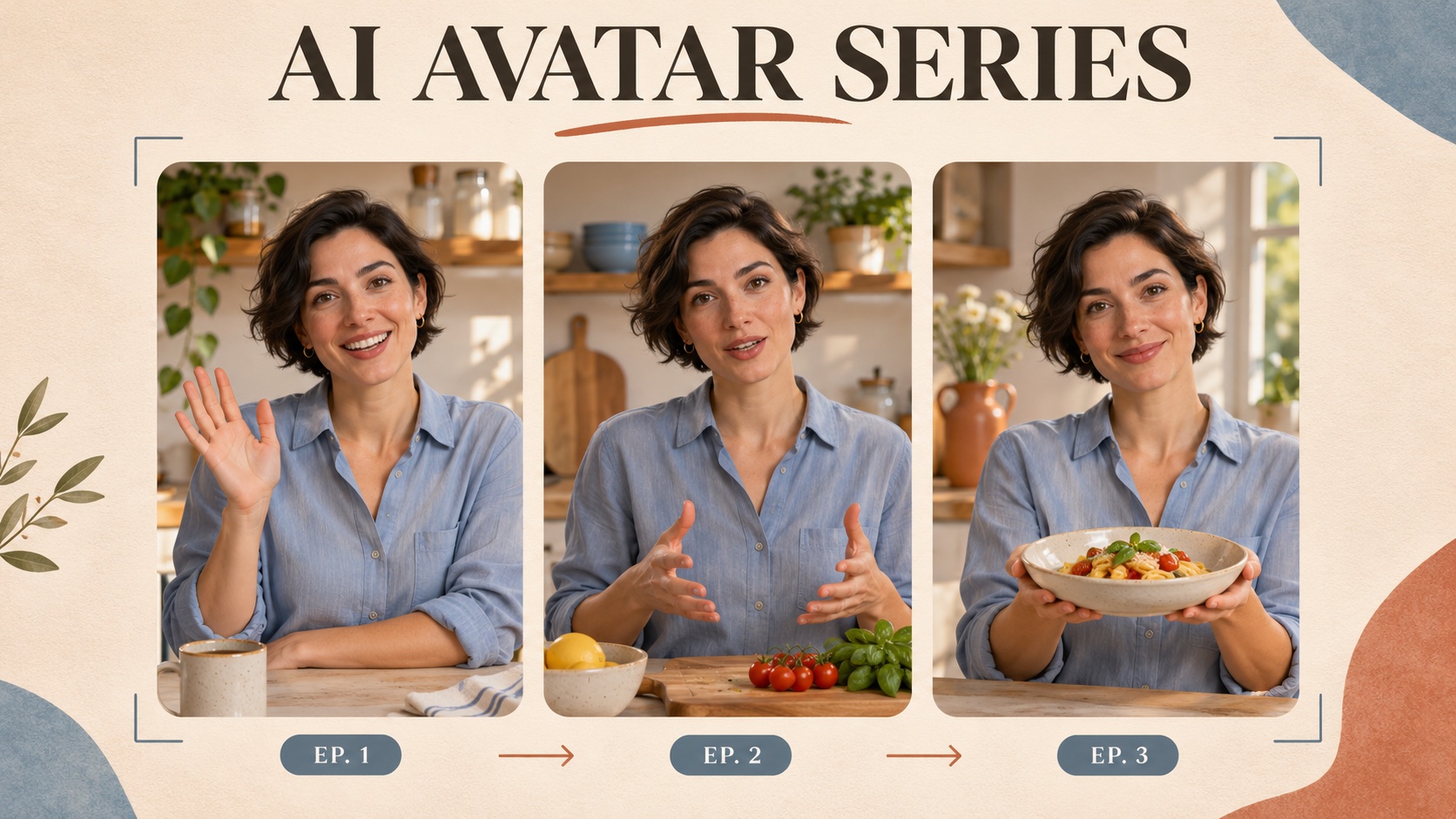
1. Give the series a promise you can keep
Before choosing a face, write down who the series is for and what someone gets from watching. “A cooking avatar” leaves almost every creative decision open. “One practical kitchen fix for people making dinner after work” gives you an audience, a setting and a reason to make another episode.
Keep that promise narrow enough to recognize, but broad enough to produce several different stories. A useful first exercise is to outline three episodes. If all three repeat the same advice in different words, tighten the subject before spending time on footage.
| Episode | Opening problem | Useful payoff |
|---|---|---|
| 1 · Clear the counter | There is nowhere to start dinner. | Show a small reset that creates one usable prep area. |
| 2 · Find the leftovers | Food disappears behind newer containers. | Give each container a visible date and a place to return to. |
| 3 · Prep one thing ahead | Every meal begins from zero. | Demonstrate one ingredient that can serve two different meals. |
These are editorial examples, not generated results. The pattern is what matters: the same presenter solves a different, specific problem each time.
2. Decide what stays recognizable
A recurring avatar needs a small set of decisions you stop reinventing. Save a clear identity reference, a short description of the presenter and a few recurring settings. Keep the face, hair, clothing direction and camera distance stable enough that an episode still looks like part of the same channel.
| Keep consistent | Let the episode change |
|---|---|
| Presenter identity and appearance | The problem, demonstration and props |
| Audience and tone of voice | The hook and specific explanation |
| Recurring locations and framing | Actions and camera moves that serve this story |
| Caption treatment and video shape | The closing line and next topic |
A reference image carries more useful detail than rewriting a long appearance prompt for every shot. Our guide to keeping AI characters consistent explains how to choose and reuse those anchors. A series also needs consistent direction: decide whether your host speaks calmly, jokes with the viewer or demonstrates things with their hands.
Treat voice direction as something to review across clips. Saving a character does not make every vocal performance identical. Listen for changes in pace, accent and energy before assembling an episode.
3. Build the series around episodes, not loose clips
For a concrete example, makespots keeps the character, series settings and episode drafts in one AI avatar series workspace. That structure is useful when you want to return to the same host without reconstructing the whole project each time.
The creation flow is organized as Content → Character → Confirm. Start with the recurring topic, choose the presenter, then review settings such as language, intended episode length and video shape. Those choices give later episodes a shared starting point.
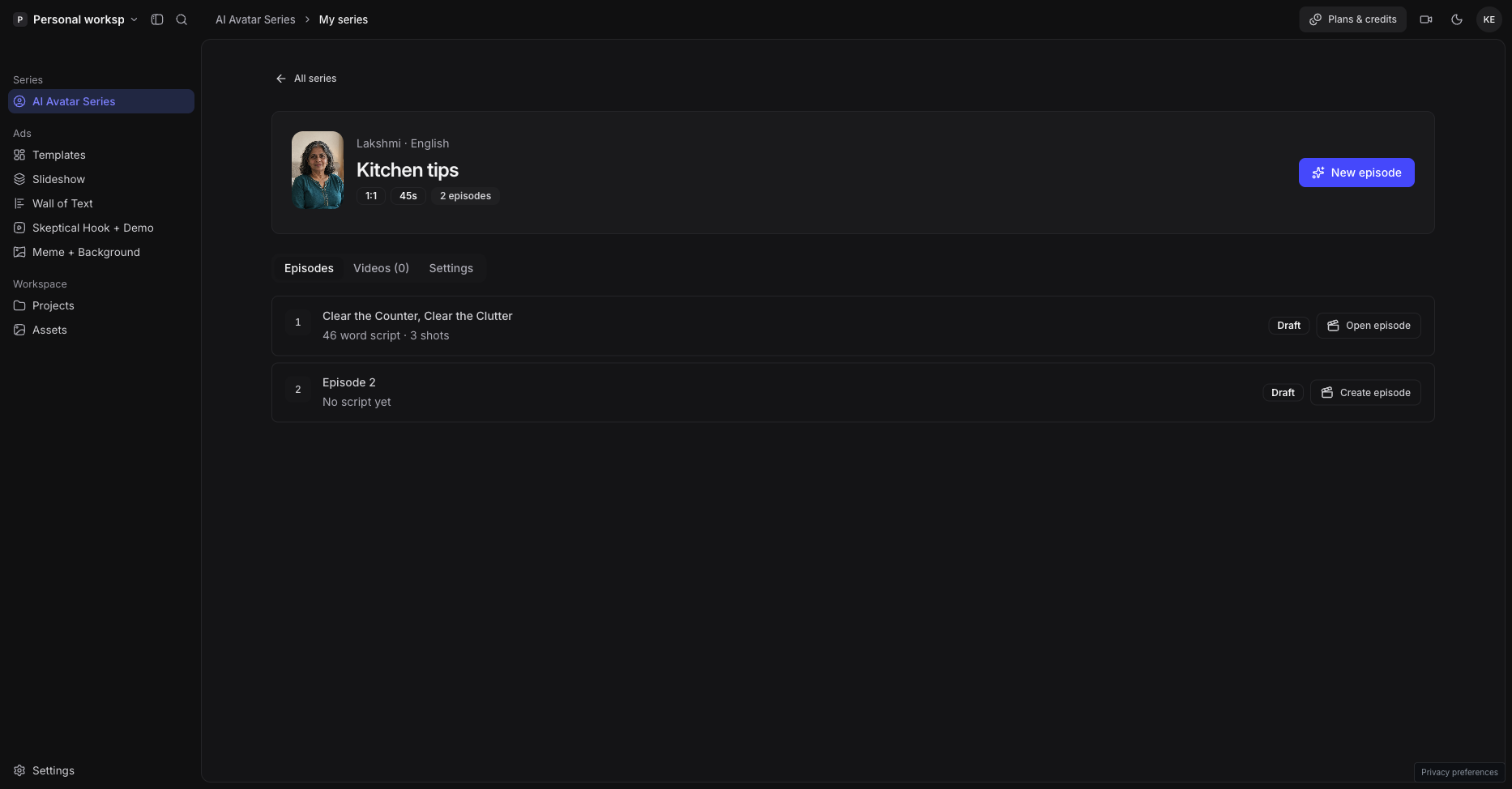
In the workspace above, “Kitchen tips” is the series and “Clear the Counter, Clear the Clutter” is an episode. The episode list shows a 46-word draft with three shots. Keeping those levels separate makes it easier to change one episode without redefining the presenter or the channel.
Inside an episode, review the storyboard as a filming plan. Spoken words are what the presenter says. On camera describes what they do while saying it. The opening frame, camera, end frame and scene directions describe what the viewer should see.
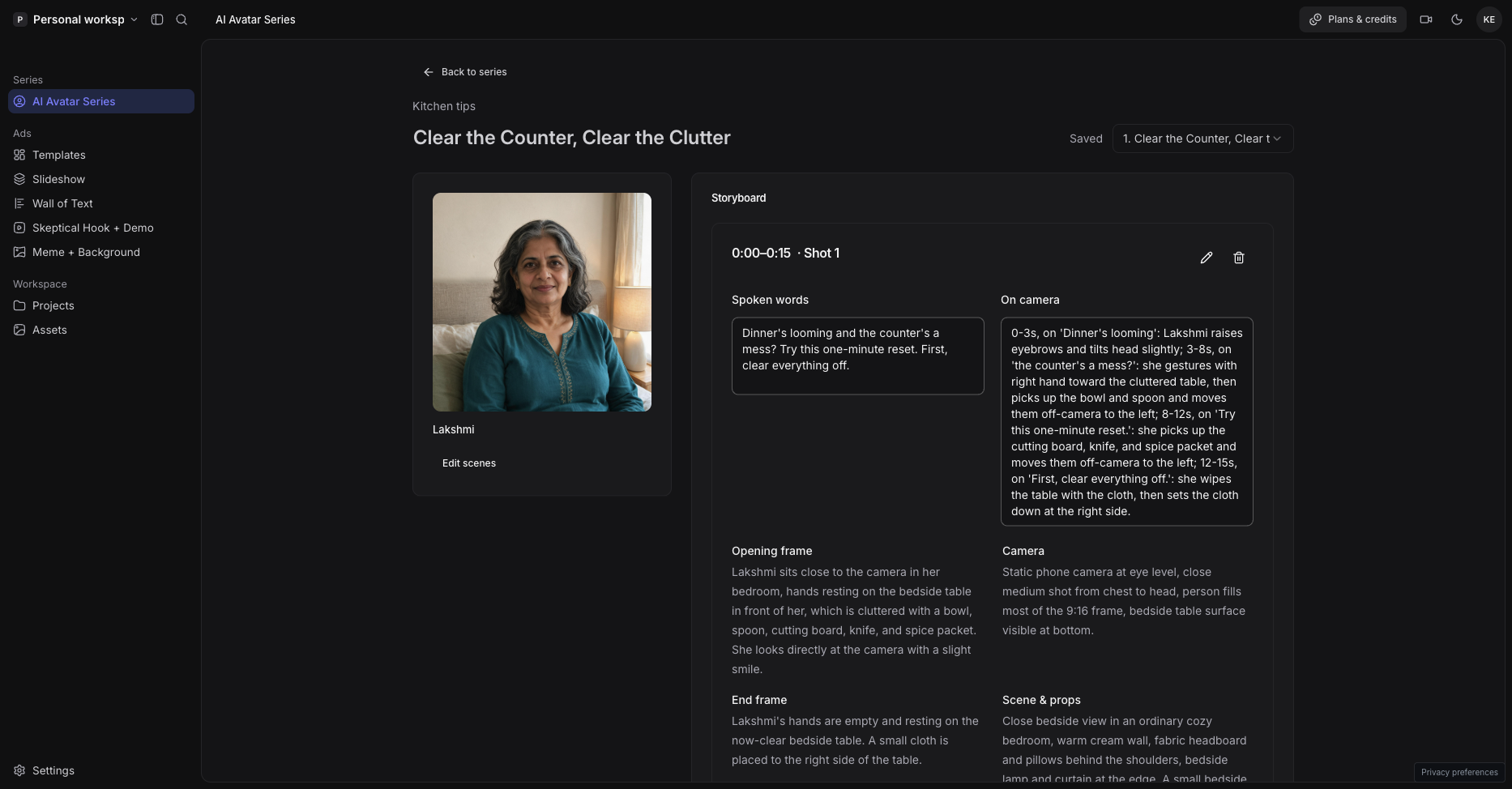
For example, “clear everything off” is a line of dialogue. “Pick up the bowl, move it out of frame, then wipe the surface” is an action. If you write only the first, you have left the demonstration to chance. If you write only the second, you may get movement without an explanation.
4. Review the shot before replacing the footage
Read the spoken script aloud at the pace you want the host to use. Check that each shot has enough time for its words and its action. A short sentence can still need a long shot if the presenter has to pick something up, show it and put it down.
- Identity: does this still look like the same presenter, including hair, clothes and proportions?
- Scene: do the location and props match the topic and the adjacent shots?
- Performance: do the voice, mouth movement, gestures and pauses support the explanation?
- Meaning: is the advice accurate, and does the demonstration actually show the promised step?
- Presentation: are the framing and on-screen words readable in the intended video shape?
In makespots, generation actions display a credit quote. Review the draft and that quote before requesting new footage. Change the shot that needs a new take; a new hook does not automatically require replacing every usable clip in the episode.
After the shots are ready, combine them and watch the full sequence with sound. Individual clips can look fine while the cut still feels abrupt: the host repeats a gesture, a prop moves between shots or a sentence starts before the previous point has landed. Use the timeline when the assembled sequence needs a tighter edit.
5. Make episode two easier, without making it a copy
Keep the parts of the first episode that worked: the presenter, recurring scenes, framing and a useful opening rhythm. Change the actual subject. A recognizable series gives viewers a familiar way in, then rewards them with something they have not already seen.
Series brief: One practical kitchen fix for busy home cooks. A warm, direct presenter explains one problem, demonstrates one useful action and ends with a short takeaway. Keep the presenter and visual treatment consistent; choose a different problem for each episode.
Before publishing, review the exported file rather than relying on a still frame or a draft preview. Check the sound, cut points, captions and ending on the screen your audience is likely to use. Download the approved video and publish it through your usual platform workflow.
Start with a three-episode plan. Once you can name the audience, the recurring host and the point of each episode, you have a workable brief for an AI avatar series.
Keep the recurring character and episode drafts together, then direct each shot before generating it.
Plan your series in makespotsFrequently asked questions
What is an AI avatar series?
It is a recurring video format with a recognizable generated presenter, a consistent subject and distinct episodes. The series keeps the character and creative direction; each episode supplies a new idea or story.
How do I keep an avatar consistent across episodes?
Reuse an approved identity reference and stable appearance, scene and camera directions. Review each new clip for visual and vocal changes. References help guide consistency, but they do not guarantee an identical face or voice in every take.
What should I prepare before generating the first episode?
Write a short series promise, choose a presenter and outline three episode ideas. For the first episode, separate spoken words from on-camera action and check the intended timing before requesting footage.
What is the difference between a post caption and video captions?
A post caption is the text published alongside the video. Video captions appear inside the footage and need their own timing and readability review. Prepare both for the platform where the episode will appear.
Put it into practice
Specialized image agents carry the craft this guide describes. Pick an available agent and start creating.